Workflow Ninja is an AI assistant that lives inside Omniscope and operates the product for you. You describe what you want in plain language. It finds your files, chooses blocks, sets their options, wires them together, executes them, reads the results and carries on until the job is done.
What it leaves behind is an ordinary Omniscope workflow. Real blocks on the canvas, options, outputs, all of it open to inspection and editing. Nobody has to trust a generated script, because there isn't one. The model plans; Omniscope's engine does the work, exactly as it does when you build by hand.
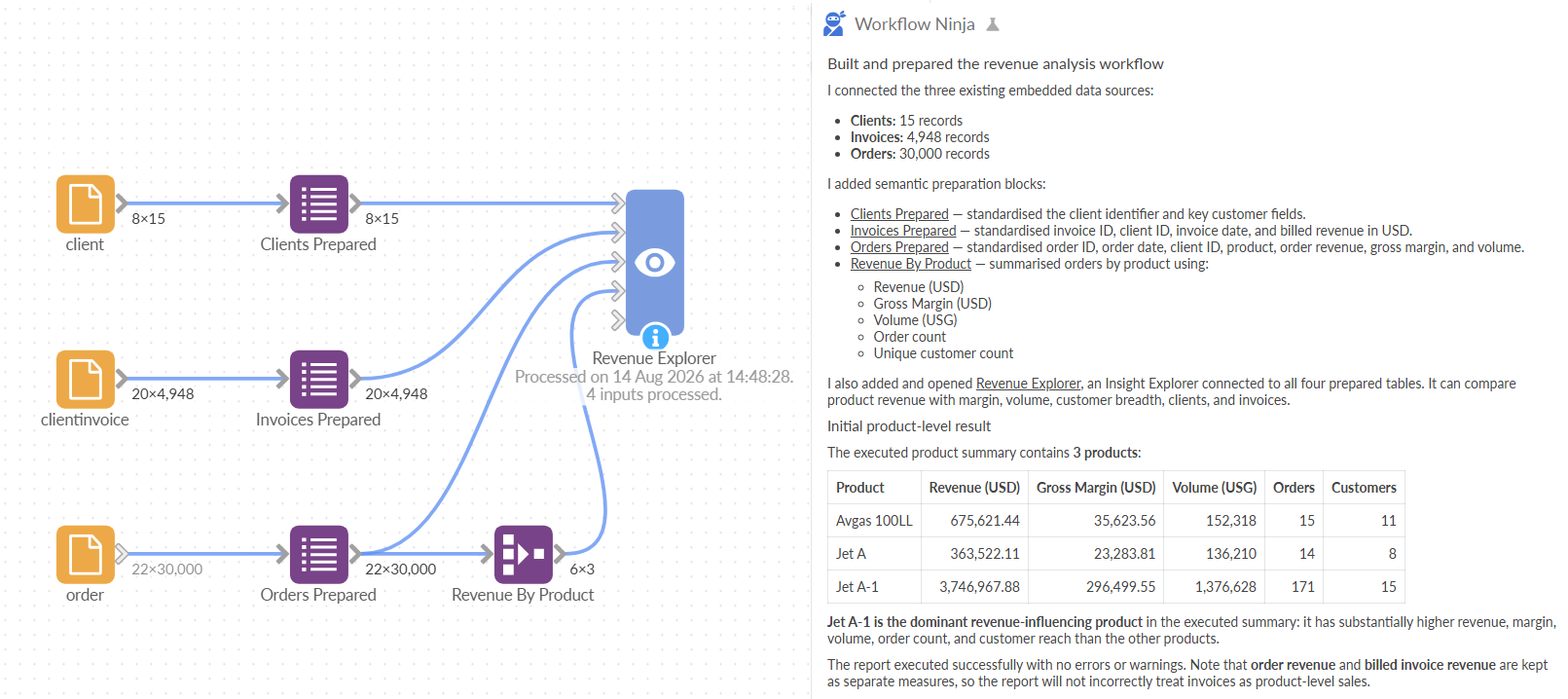
Ask it about a workflow
The fastest way to get value out of it is on a complex workflow or one you did not write.
Ask what a workflow does and it will read the blocks, follow the connections and tell you, in the order the data actually moves.
Ask abour data lineage - where a field comes from and it traces it back to the source.
Ask why a table has 12,000 rows when the input had 40,000 and it will look at each step, compare row counts in and out, and name the block that dropped them.
It reads the same things you would: block options, the schema at each point, sample rows, execution results. When it has only looked at a preview it says so, rather than dressing up five rows as a finding.
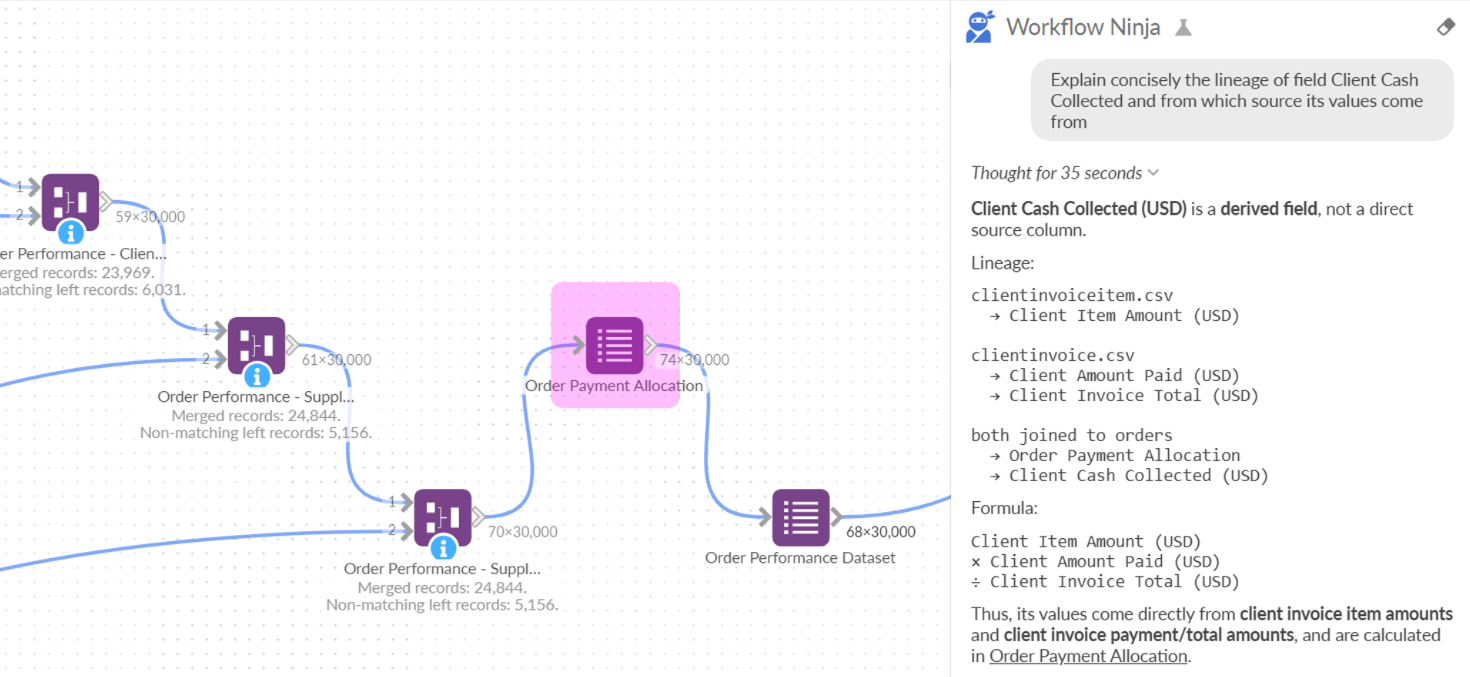
Have it document what it finds
Understanding is worth keeping. The Ninja can name blocks properly, add notes and labels to the canvas, group related branches and tidy the layout so the shape of the pipeline is visible at a glance.
This matters more than it sounds. The canvas is how the next person understands the work, and a workflow that runs correctly but reads as one long row of blocks is a workflow nobody will maintain.
N.B. We have also shipped a couple of features too to tidy up and rearrange a workflow layout.
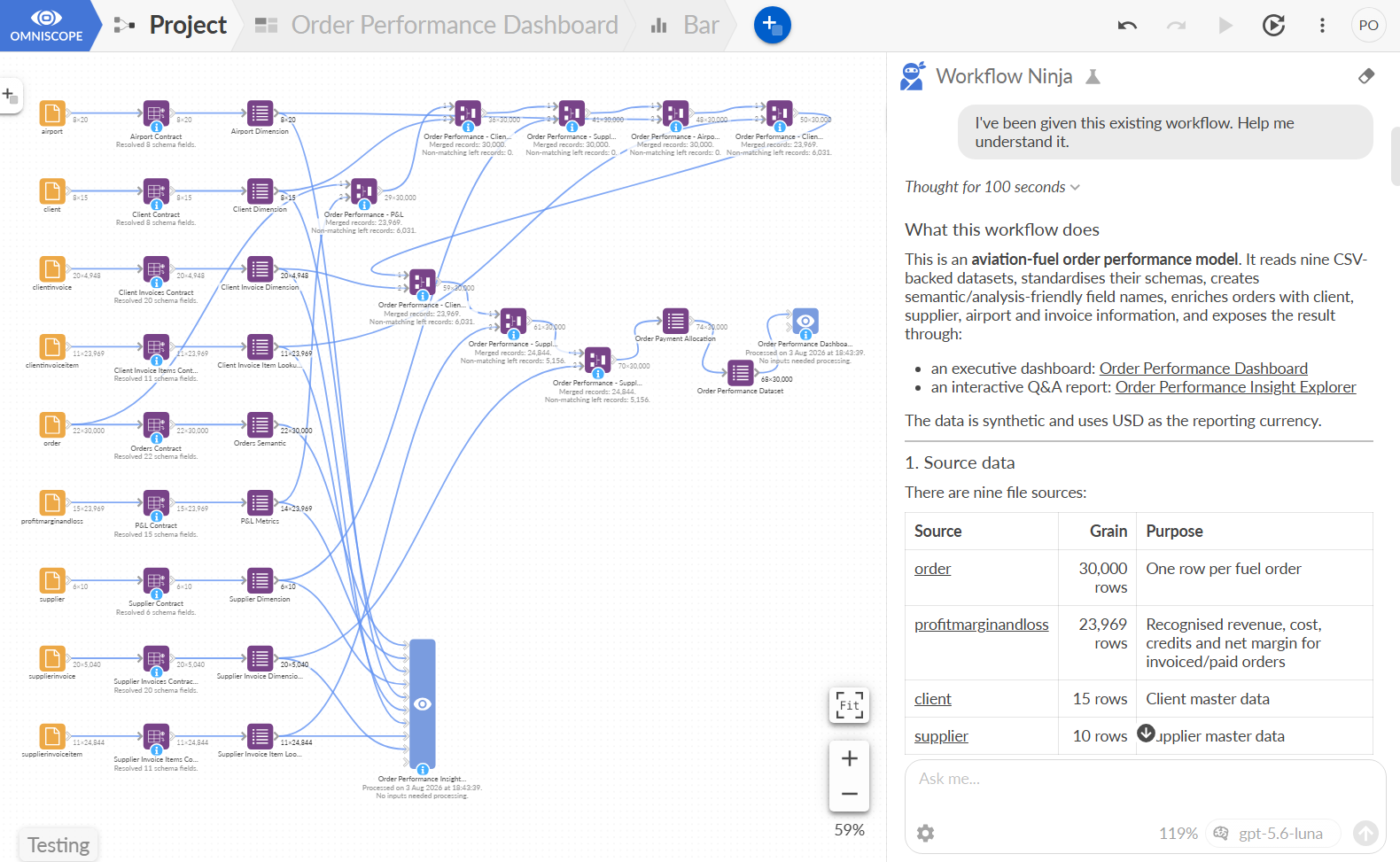
Build a workflow from scratch
Point it at a folder of messy files and tell it what you want.
It browses the folder, samples the files to see what is really in them (inconsistent values, dates in three formats, numbers stored as text), then builds: sources, field organisers, filters, joins, aggregations, pivots, whatever the shape of the data calls for. It executes as it goes and reacts to what comes back.
It can reach the same places you can: files, databases, cloud storages, connectors, Google Sheets, Salesforce, Microsoft 365 and the rest of the source library.
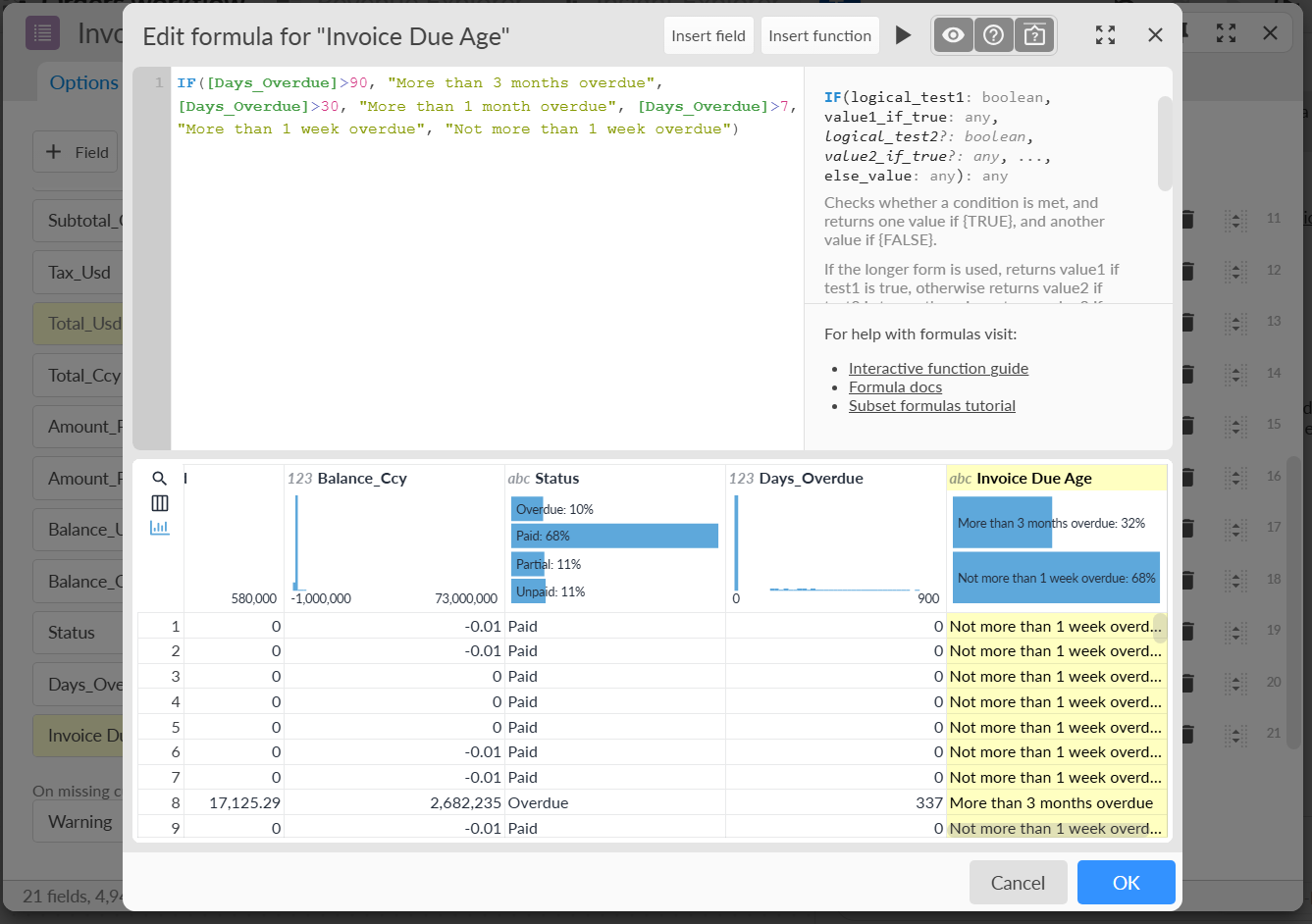
It also knows Omniscope's formula functions and will write calculated fields with them. At the end of a pipeline it can add a Report and start it from a preset, so there is something to look at as well as something to query.
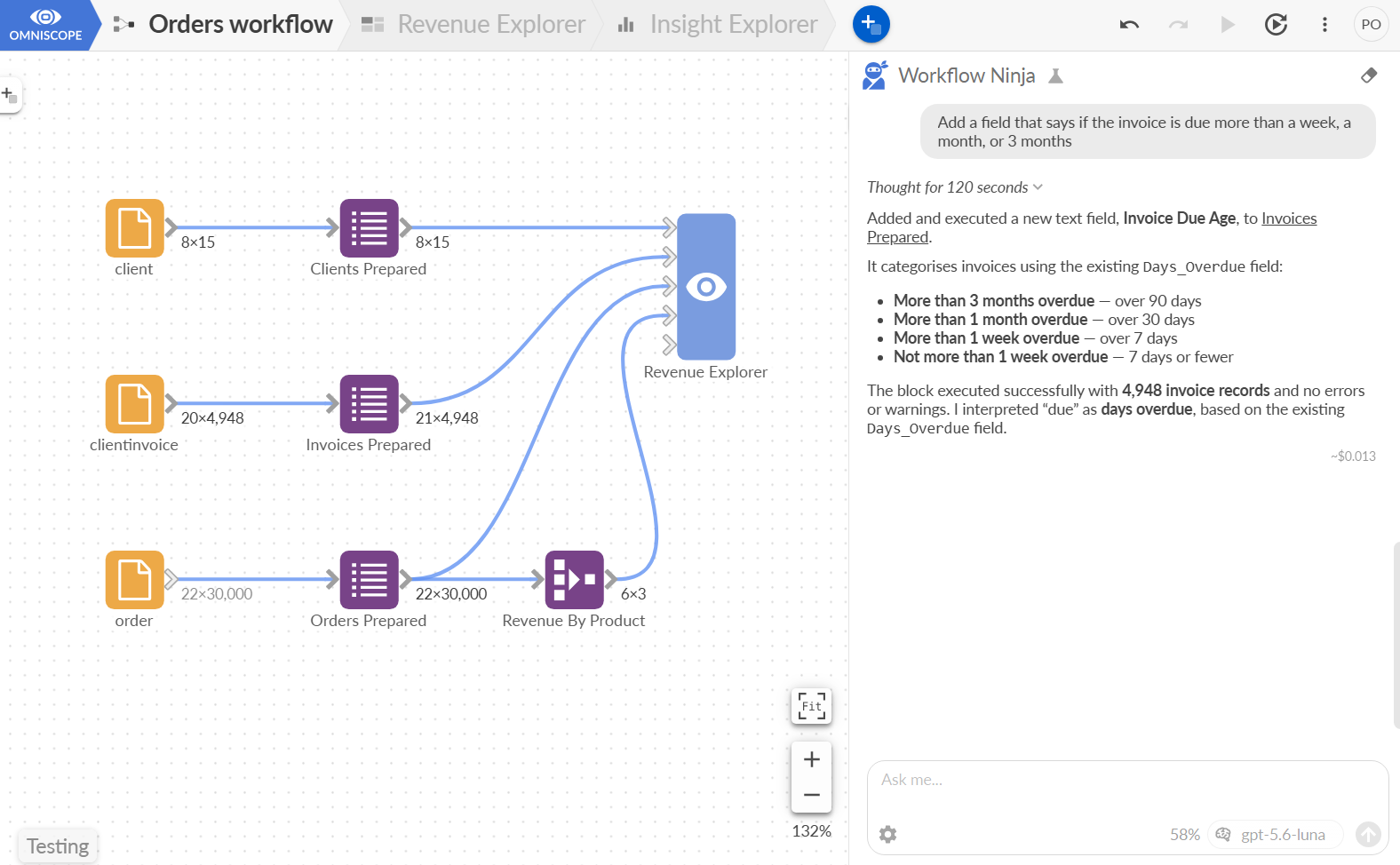
Edit block options by asking
Most day-to-day work is not building a workflow, it is changing one.
"Fix this formula", "Amend this KPI calculation", "Filter to the last 12 months." "Make that a left join on Customer ID." "Add a margin field." "Round the values and rename the column to Revenue (GBP)." The Ninja configures blocks through the same option vocabulary the interface uses, so what it sets is exactly what you would have set, and the block dialog shows it plainly afterwards.
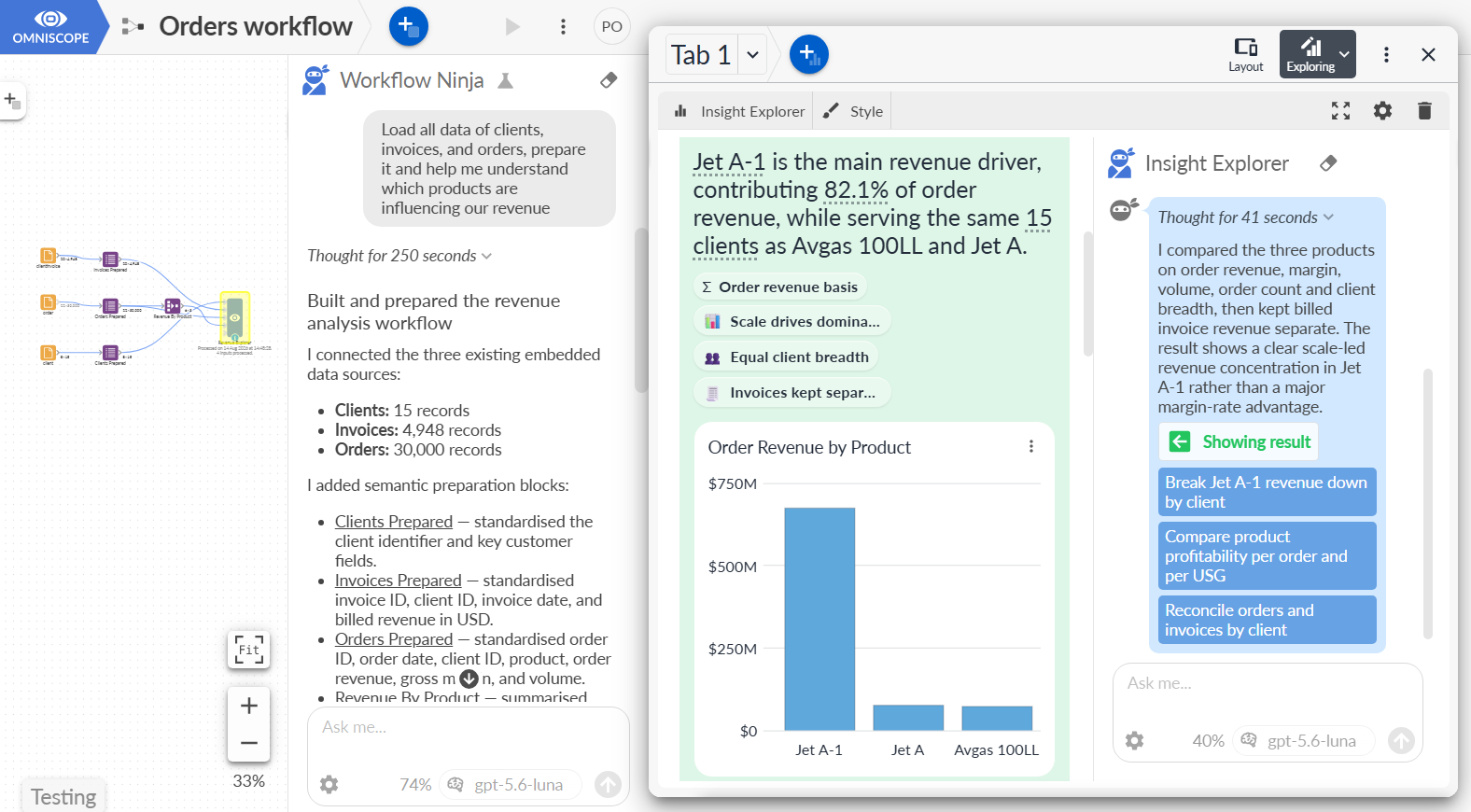
It works on the project you are looking at. Leave the workflow open in a browser and you watch blocks appear, connect and execute in real time.
Debug and repair
When something breaks, the Ninja is the one part of Omniscope that will go and look.
It executes blocks and reads the errors. It spots outputs that ran without failing but produced nothing useful, such as zero rows or a column that came back entirely empty, and flags them rather than declaring success. It compares record counts across a step so silent data loss shows up. Circular connections are refused outright, with the rule named, instead of leaving you with a model that cannot run.
Then it proposes a fix, applies it if you want, and re-runs to check.
What you need to enable the Workflow Ninja
- Omniscope with an AI provider configured in Admin > AI Settings. Workflow Ninja works with the providers you already use for Omniscope's other AI features: OpenAI, Anthropic, Gemini, xAI, OpenRouter, or a local LLM for full privacy.
To operate, the Ninja needs to see cell values, hence configure a model and a provider you trust with "full datasets" Data sharing level. - The "Workflow Ninja & MCP Server" feature enabled in Admin > Labs.
- An Omniscope Enterprise plan, and to refresh your licence activation from Admin -> Licensing
Current status / guidelines
The feature is in development and it will evolve. Two things worth knowing before you judge it:
It composes Omniscope blocks. It is not a code generator, and the Python escape hatch is a last resort rather than its first idea. That is a deliberate choice: blocks are inspectable, reusable and executed by the same engine as everything else in your project.
On a genuinely hard harmonisation, several sources with different grains and conventions, it gets you a coherent partial model rather than a finished one. That is still most of an afternoon saved, and the canvas makes it obvious what it did and did not do. Check its work. It is unusually easy to check.
And don't forget. The results, design of the solution, speed, accuracy of the authoring, depend on the LLM you pick.
The same thing, from outside Omniscope
Everything above is also available to external AI agents. Omniscope publishes the Ninja's tools over an MCP server, so Claude, Codex, OpenCode or your own agent can connect to a project and author it directly: create blocks, configure them, connect, execute, read outputs. Same tools, same execution engine, same result, an Omniscope project a person can open and take over.
There is more on that approach in Omniscope as a tool for AI agents, and a config guide to follow here.
Was this article helpful?
That’s Great!
Thank you for your feedback
Sorry! We couldn't be helpful
Thank you for your feedback
Feedback sent
We appreciate your effort and will try to fix the article